
Download Yahoo Amp – Free Winamp Song Display for Yahoo Messenger on Windows
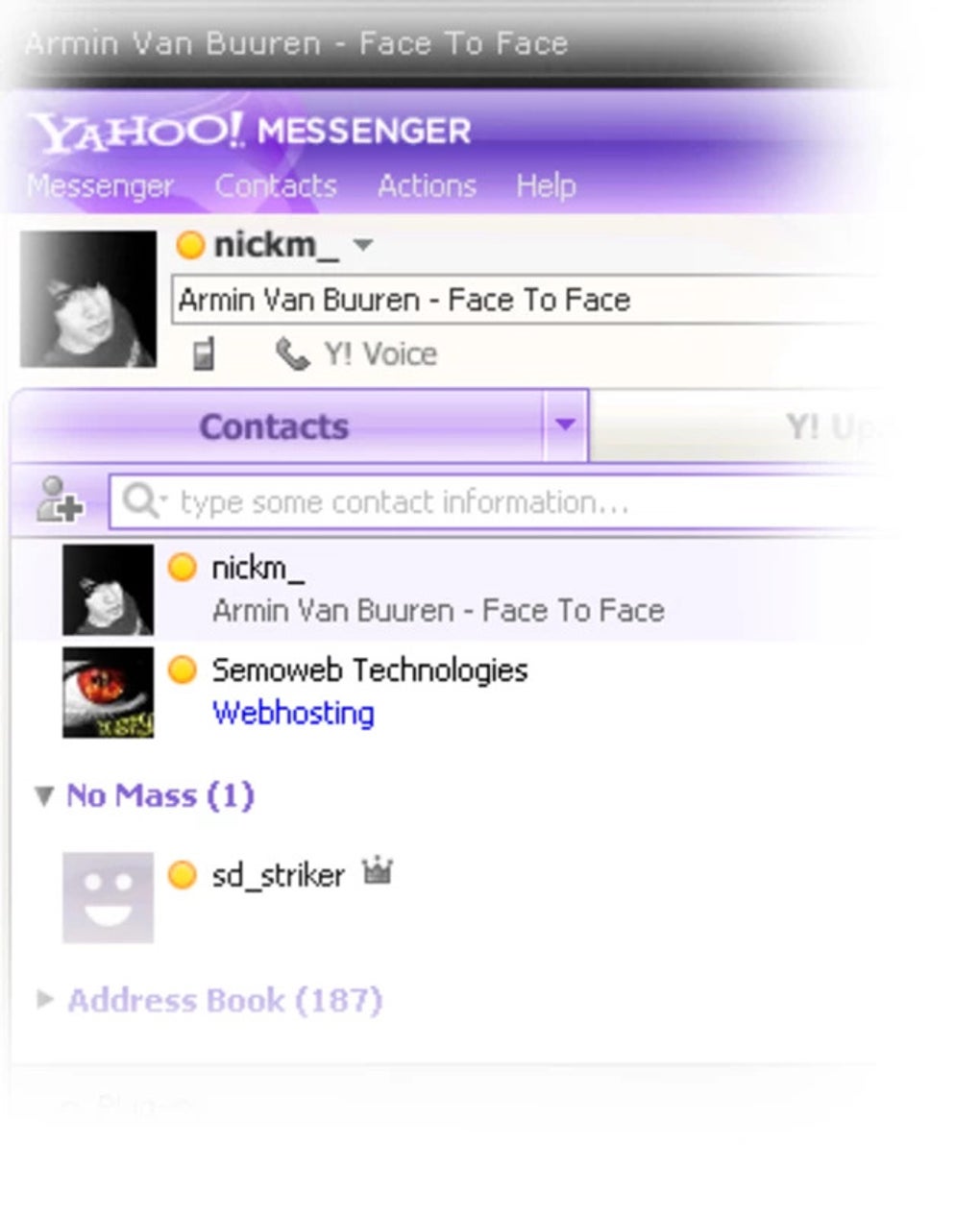
Yahoo Amp (Y!Amp M8) is a lightweight, free Windows application that brings music sharing to your Yahoo Messenger experience. Developed by Nick Morris, this tool allows you to display the currently playing song from Winamp directly in your Yahoo Messenger status. Perfect for music lovers who want to showcase their taste in real time, Yahoo Amp enhances social interaction by automatically updating your status with the title, artist, and album information via ID3 tags.
Whether you're chatting with friends or just browsing the network, your current track becomes a dynamic part of your digital identity. With customizable message formats, fake status icons (like headphones or webcam), and support for automatic idle simulation, Yahoo Amp adds a fun, personal touch to your online presence. The software is easy to install, runs quietly in the background, and requires minimal system resources.
Ideal for users of Winamp and Yahoo Messenger, this tool is a nostalgic yet functional addition to your social software suite.
Why Yahoo Amp Stands Out in Music-Driven Communication Tools
Yahoo Amp isn’t just another status updater—it’s a bridge between your music library and your social life. In an era where digital expression is key, Yahoo Amp allows you to communicate your mood and taste through the songs you’re listening to. Unlike modern messaging apps that have built-in music sharing, Yahoo Amp was a pioneer in its niche, offering a seamless way to integrate Winamp’s rich metadata into Yahoo Messenger’s interface. The software pulls real-time data from Winamp’s ID3 tags, ensuring that your status always reflects the latest track, even if you skip songs or change playlists. This level of automation makes it ideal for users who value authenticity and consistency in their online presence.
One of the standout features is the ability to customize how your song information appears. You can choose to display the track name, artist, album, or a combination of these elements, either before or after your nickname. For example, you can set your status to read “Listening to: ‘Bohemian Rhapsody’ by Queen” or “@John: Playing ‘Hotel California’ – Eagles.” This personalization adds a unique flair to your profile and encourages conversations about music. Additionally, Yahoo Amp supports the display of fake status icons—such as headphones, webcam, or open talk—making it look like you’re actively engaged even when you’re not. This is especially useful for users who want to maintain a vibrant online persona without being constantly active.
Another key advantage is the lightweight design. Yahoo Amp consumes minimal CPU and memory, ensuring it runs smoothly in the background without slowing down your system. It’s also completely free, with no ads or in-app purchases. The interface is simple and intuitive, requiring no technical knowledge to set up. Whether you're a long-time Winamp user or someone nostalgic for early 2000s chat experiences, Yahoo Amp delivers a reliable, secure, and enjoyable way to share your music with friends.
How to Install and Use Yahoo Amp on Windows
Installing Yahoo Amp is a straightforward process, making it accessible even for users with limited technical experience. First, visit the official download page or a trusted software repository to get the latest version of Yahoo Amp (Y!Amp M8). The installer is a small, self-contained executable file—typically under 1 MB—so it downloads quickly and doesn’t take up much space. Once downloaded, run the installer and follow the on-screen prompts. The setup wizard guides you through the process with minimal choices, ensuring a smooth experience.
After installation, launch Yahoo Amp. The app will automatically detect if Winamp is installed on your system. If Winamp is running, Yahoo Amp will begin syncing your current track within seconds.
If Winamp isn’t open, the software will wait for it to launch before displaying any information. You can access the settings by right-clicking the Yahoo Amp icon in the system tray. From there, you can customize your status message format, choose whether to show fake icons, and enable automatic idle simulation.
For advanced users, Yahoo Amp offers a range of customization options. You can define custom prefixes and suffixes for your status message, such as “?” or “Now Playing:” to make your status more expressive. You can also set a delay before the status updates, which is helpful if you’re using a playlist that changes songs rapidly.
The software also supports multiple Yahoo Messenger accounts, allowing you to manage your music status across different profiles. Overall, the usage experience is intuitive, responsive, and hassle-free. With minimal setup and zero maintenance, Yahoo Amp is a reliable tool that works silently in the background.
Compatibility, Features, and System Requirements
Yahoo Amp is specifically designed for Windows operating systems and is fully compatible with Windows 7, Windows 8, Windows 10, and Windows 11. It was originally developed for older versions of Yahoo Messenger, but it continues to work seamlessly with the latest available versions of the client. Since it’s a lightweight utility, it doesn’t require high-end hardware—any system with a modern processor and at least 512 MB of RAM will run it smoothly. The software supports Winamp 2.x and 5.x versions, making it versatile for users with different setups.
Key features include real-time ID3 tag integration, customizable status messages, fake status icons (headphones, webcam, open talk, plugin), automatic idle simulation, and multi-account support. These features make Yahoo Amp more than just a status updater—it’s a personalization tool that enhances your social presence. The software is secure, with no known malware or privacy risks, and it doesn’t collect user data. All data is processed locally, ensuring your music preferences stay private.
For users looking to enhance their chat experience, Yahoo Amp is a valuable addition. It’s particularly useful for musicians, podcast listeners, or anyone who enjoys sharing their current mood through music. The app is also a great fit for retro computing enthusiasts who appreciate classic software with modern functionality. Whether you’re using it for fun, social connection, or nostalgia, Yahoo Amp delivers consistent performance across different environments.
- Real-time song display from Winamp via ID3 tags
- Customizable status messages with prefixes and suffixes
- Fake status icons for headphones, webcam, open talk, and more
- Automatic idle simulation to keep your status active
- Multi-account support for multiple Yahoo Messenger profiles
Pros and Cons
Pros
- Free and ad-free software
- Lightweight and low system resource usage
- Seamless integration with Winamp and Yahoo Messenger
- Highly customizable status display
- Supports fake status icons and idle simulation
Cons
- Only compatible with Windows
- Requires Winamp to be installed
- Not updated for newer messaging platforms
- May not work with all Winamp plugins
- Limited to Yahoo Messenger (no support for modern apps)
Frequently Asked Questions (FAQ)
Is Yahoo Amp safe to download and use?
Yes, Yahoo Amp is safe to download and use. It is a free, open-source tool developed by Nick Morris with no known malware or tracking. The software runs locally and does not send your music data to external servers. Always download from trusted sources to ensure authenticity.
Do I need Winamp to use Yahoo Amp?
Yes, Yahoo Amp requires Winamp to be installed and running on your system. It reads the current track’s metadata (ID3 tags) from Winamp, so without it, the software cannot function.
Can I use Yahoo Amp with multiple Yahoo Messenger accounts?
Yes, Yahoo Amp supports multiple Yahoo Messenger accounts. You can configure different status messages or icons for each account, making it ideal for users managing personal and professional profiles.
Does Yahoo Amp work on Windows 11?
Yes, Yahoo Amp is compatible with Windows 11. It runs smoothly on modern Windows systems, although it’s designed for older Yahoo Messenger clients. No compatibility issues have been reported on Windows 11.
Can I disable the fake status icons?
Yes, you can disable any fake icons in the settings. The software allows full control over which icons appear next to your ID, so you can choose to show only your music status or disable all visual enhancements.
Final Thoughts: A Nostalgic Yet Functional Tool for Music Lovers
Yahoo Amp may be a relic of the early internet era, but its core functionality remains relevant for users who value personal expression through music. While modern messaging platforms have evolved, Yahoo Amp still offers a unique way to share your current mood via your favorite songs. Its simplicity, reliability, and customization options make it a standout tool for Winamp and Yahoo Messenger enthusiasts. Whether you’re using it for fun, nostalgia, or to enhance your social presence, Yahoo Amp delivers a seamless experience.
For those looking to download a free, secure, and lightweight software that enhances communication through music, Yahoo Amp is a must-try. It’s a perfect blend of retro charm and practical utility. If you’re a fan of Winamp or remember the golden age of instant messaging, don’t miss the chance to bring this classic tool back into your digital life.
Download Yahoo Amp today and start sharing your music with friends—effortlessly and securely.







